
Business budgeting software with an AI CFO
Your budget, cash forecast and runway from your books. Ask what if in plain English.
Live preview with your hiring plan
UpdatingRunway
Out in Sep 2027. Base plan: 20.3 months
11.0months
Break-even
Month 39 of the plan
Jan 2030
Cash needed
Extra cash to reach break-even. +$1.7M for a 6-month cushion
$1.1M
Forecasts and scenarios are estimates based on your data and assumptions, not financial, investment, tax or accounting advice.

Read-only access
We never move money or write to your books
Encrypted
At rest and in transit, tokens included
Every number traceable
AI answers show inputs and accounts
Public prices
Self-serve, cancel anytime
Budgeting
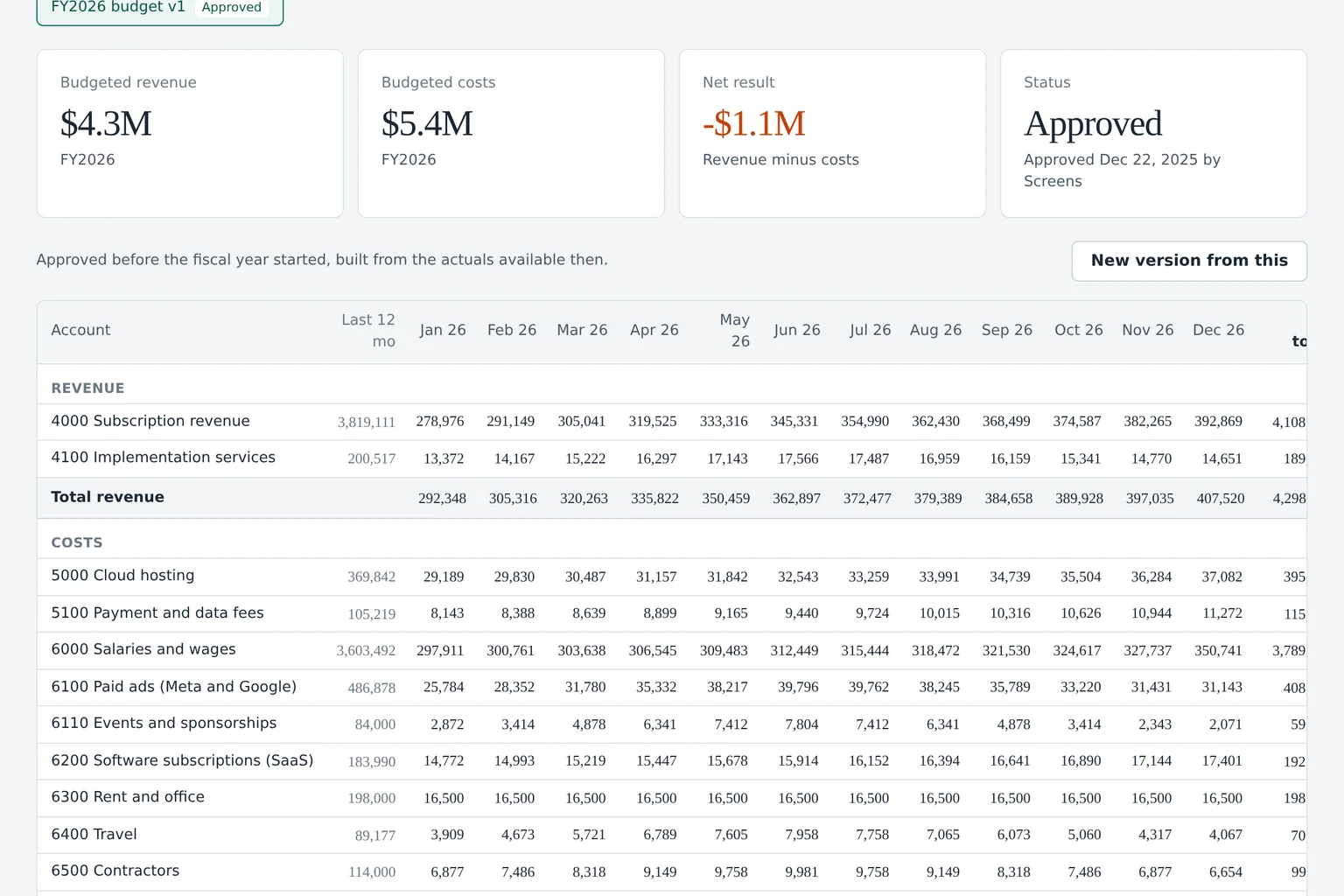
Your annual budget, built from your own books
Connect QuickBooks or Xero and Budgeter.ai reads 12 to 24 months of actuals, maps your chart of accounts and drafts next year's budget by category and month. You review it, change what you know better, and approve it.
Seasonality, annual contracts and renewals are already in your actuals, so they land in the draft on their own. The method is on the business budgeting software page.
Scroll sideways for all columns
| Account | Jan | Feb | Mar | Q1 total | vs last year |
|---|---|---|---|---|---|
| Subscription revenue | 182,400 | 188,900 | 196,100 | 567,400 | +24% |
| Services revenue | 21,000 | 19,500 | 24,000 | 64,500 | +6% |
| Salaries and benefits | 118,300 | 118,300 | 131,700 | 368,300 | +19% |
| Contractors | 9,800 | 9,800 | 9,800 | 29,400 | -12% |
| Software and tools | 14,200 | 14,200 | 17,900 | 46,300 | +9% |
| Paid marketing | 22,000 | 24,000 | 26,000 | 72,000 | +31% |
| Rent and office | 11,500 | 11,500 | 11,500 | 34,500 | 0% |
| Net operating income | 27,600 | 30,600 | 23,200 | 81,400 |
Cash, headcount and revenue
Every hire and every revenue change moves the same forecast
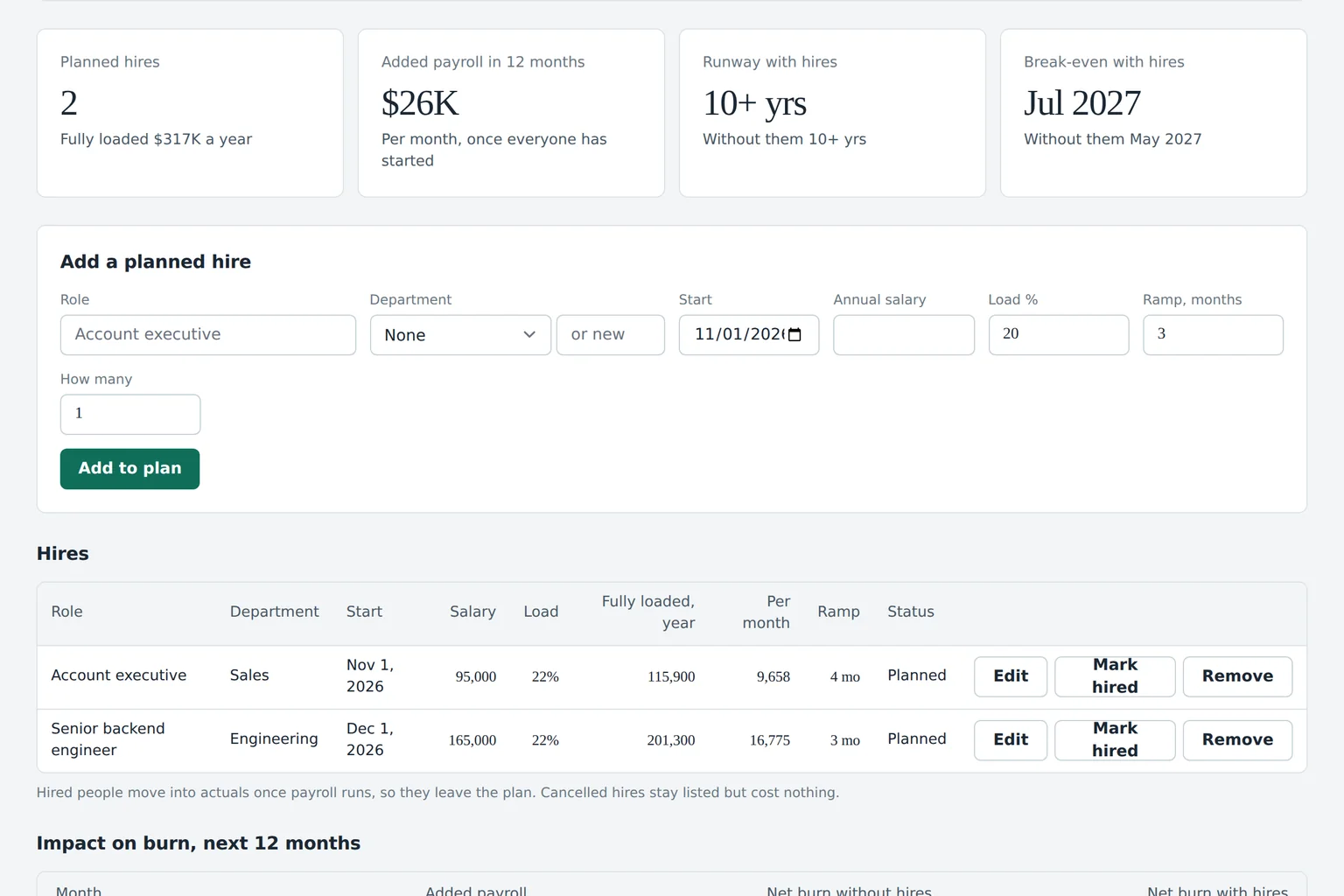
Cash, people and revenue live in one plan, so runway updates the moment a role, a start date or an MRR assumption changes. More on cash flow forecasting, headcount planning and revenue planning.
Cash today
$1.18M
Lowest, wk 9
$742K
Runway
16.4 mo
Solid bars are bank balances, dashed bars the forecast from invoices, bills and payroll dates.
- Account executive x2Sales, starts Jan 231,800
- Senior engineerEngineering, starts Feb 184,500
- Success managerCustomer success, starts Mar 81,300
- Product designerEngineering, starts May 105,700
- Growth marketerMarketing, starts Jun 78,300
Month close
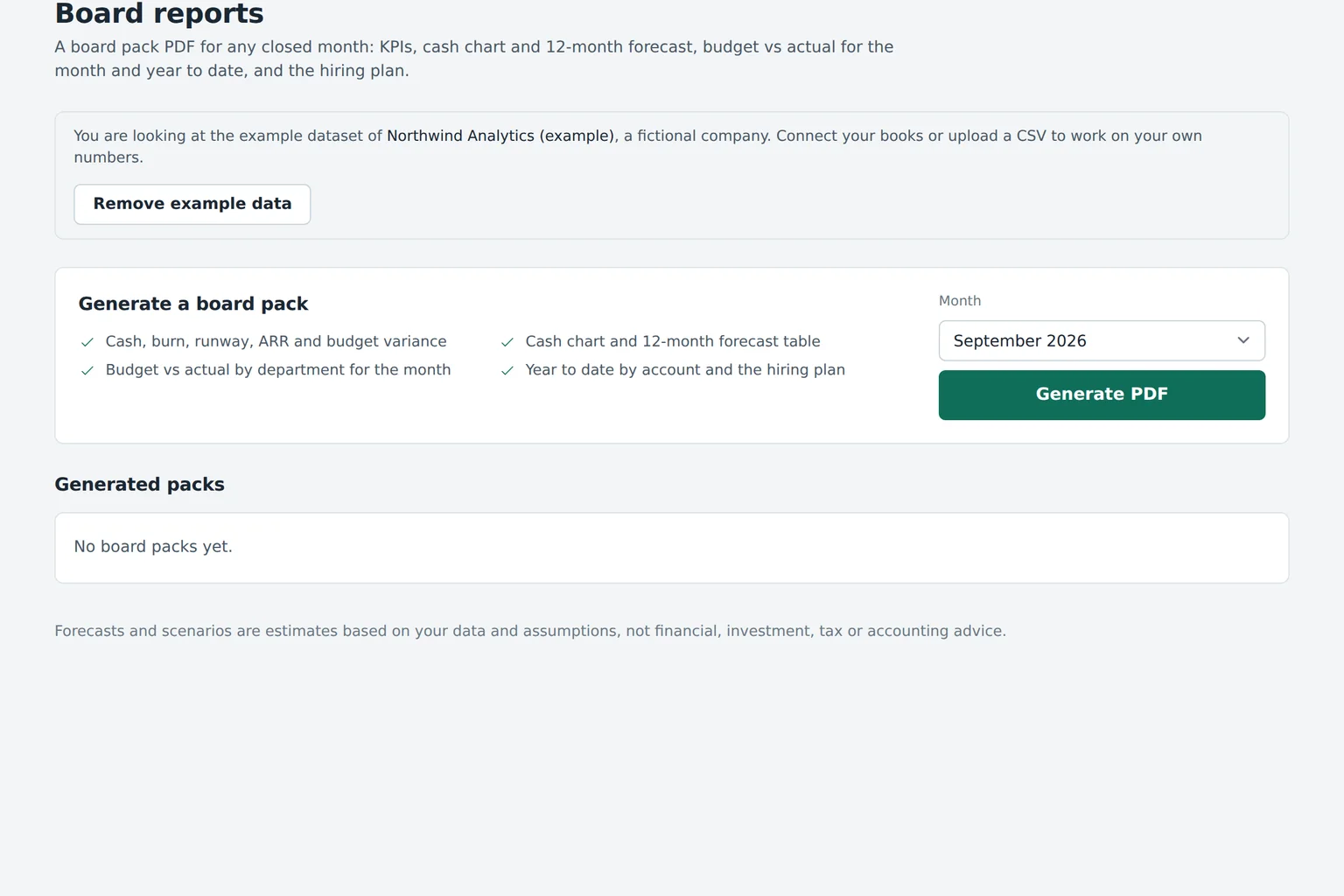
From books closed to board pack in five working days
A finance month has a rhythm. Budgeter.ai runs the repetitive half of it, so your people spend the week on decisions instead of copy and paste.
November close
Working days 1 to 5
Actuals synced
Books, bank, payroll and revenue data pulled read-only.
Runs automatically
Variance explained
Budget vs actual by department, AI notes on every large gap.
Runs automatically
Reforecast
Rolling forecast moves forward one month from new actuals.
Runs automatically
Owner review
Department heads confirm or comment on their lines.
Your team
Board pack ready
KPIs, cash, runway and variance in one export.
Runs automatically
Your accountant still closes the books; the rest of the week runs on its own. See board reporting and KPI dashboards.
AI CFO
Ask what if in plain English and get numbers back
Type the question you'd ask a finance lead. Budgeter.ai turns it into assumptions, runs them through your forecast and answers with the numbers that move: runway, burn, ARR, break-even and cash needed.

- Every answer lists the accounts, months and assumptions behind it
- Save the answer as a scenario and compare it side by side with your plan
- Apply an approved scenario to the forecast with one click
- Usage meter in the app, so you always know how many questions are left
Ask the AI CFO
Sample company
Assumptions used
- 4 hires, start Jan 2027
- $95,000 base salary each
- 22% benefits and payroll tax load
- 4 month ramp to full quota
- $480K new ARR per rep at full ramp
- Collections 30 days after invoice
| Metric | Current plan | With 4 reps | Change |
|---|---|---|---|
| Runway | 14.2 mo | 11.8 mo | -2.4 mo |
| Monthly burn, Q2 | $71K | $114K | +$43K |
| ARR, Dec 2027 | $3.1M | $4.2M | +$1.1M |
| Break-even | Aug 2027 | Jan 2028 | +5 mo |
| Cash needed | $0 | $380K | to keep 6 mo buffer |
Hiring all four in January costs you 2.4 months of runway and pushes break-even to January 2028, but adds about $1.1M of ARR by December. Staggering two hires to April keeps runway above 13 months with most of the upside. Want me to save both as scenarios?
Forecasts and scenarios are estimates based on your data and assumptions, not financial, investment, tax or accounting advice.
The AI CFO shows the assumptions behind every answer. Explore scenario planning software for side by side comparisons of best, base and downside cases.
Budget vs actual
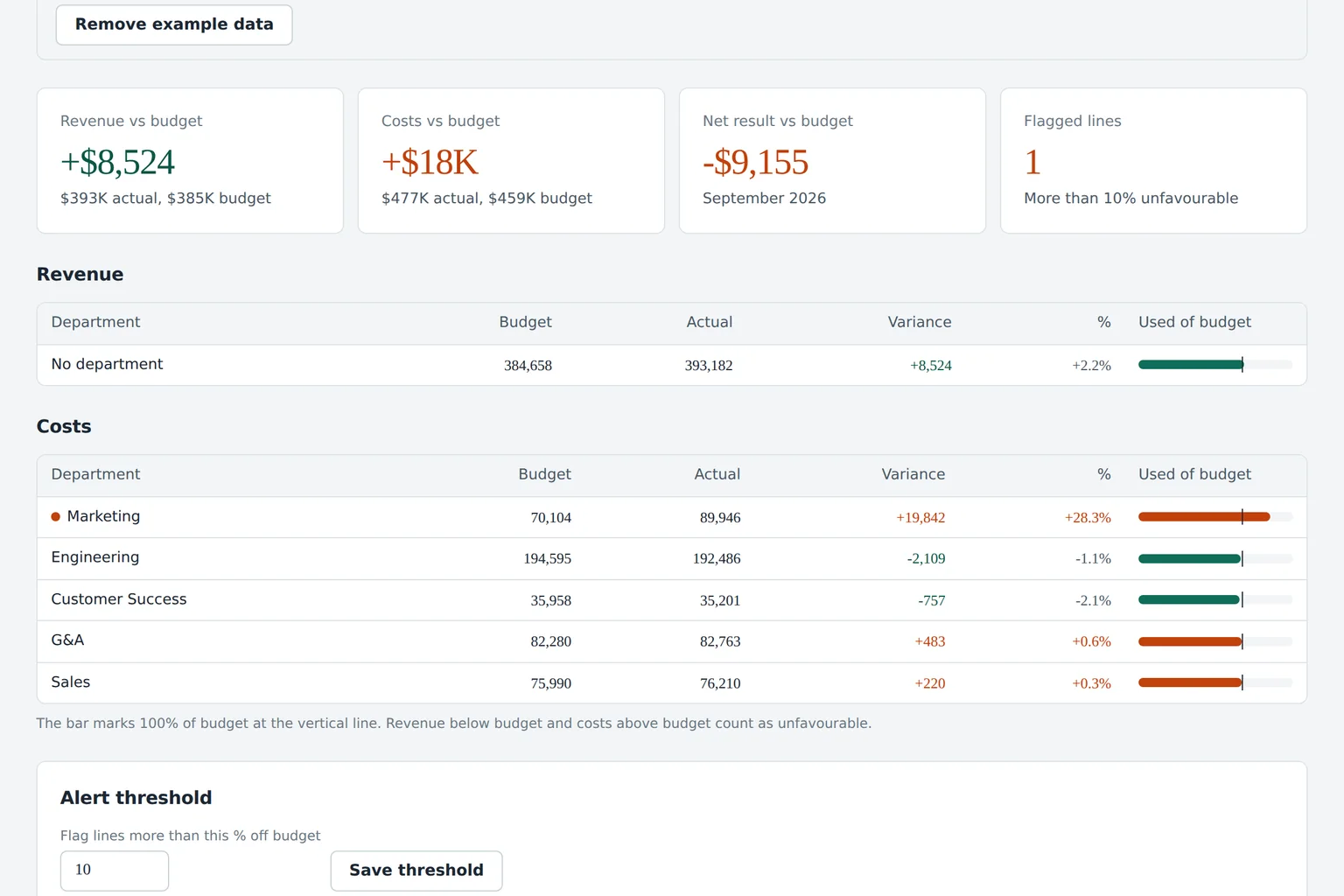
Catch overspend before the month is over
Find out a department is drifting at 80 percent of its limit, while there's still time to do something, instead of in the month-end review when the money is already gone.
| Department | Budget | Actual | Variance | Used | AI note |
|---|---|---|---|---|---|
| Engineering | 142,000 | 138,600 | -3,400 |
|
On plan. Contractor hours lower than budgeted. |
| Sales | 96,000 | 101,900 | +5,900 |
|
Commission on two large October deals, offset by revenue. |
| Marketing | 48,000 | 61,300 | +13,300 |
|
Paid search spend doubled from week 3, cost per lead up 40%. |
| Customer success | 31,000 | 29,800 | -1,200 |
|
One open role not hired yet. |
| General and admin | 27,500 | 28,100 | +600 |
|
Annual insurance renewal slightly above estimate. |
| Software and tools | 14,200 | 16,900 | +2,700 |
|
Two duplicate design tool subscriptions found. |
| Total operating expense | 358,700 | 376,600 | +17,900 | 105% | Marketing explains 74% of the gap. |
-
Engineering
-3,400
- Budget
- 142,000
- Actual
- 138,600
- Used
- 98%
AI note. On plan. Contractor hours lower than budgeted.
-
Sales
+5,900
- Budget
- 96,000
- Actual
- 101,900
- Used
- 106%
AI note. Commission on two large October deals, offset by revenue.
-
Marketing
+13,300
- Budget
- 48,000
- Actual
- 61,300
- Used
- 128%
AI note. Paid search spend doubled from week 3, cost per lead up 40%.
-
Customer success
-1,200
- Budget
- 31,000
- Actual
- 29,800
- Used
- 96%
AI note. One open role not hired yet.
-
General and admin
+600
- Budget
- 27,500
- Actual
- 28,100
- Used
- 102%
AI note. Annual insurance renewal slightly above estimate.
-
Software and tools
+2,700
- Budget
- 14,200
- Actual
- 16,900
- Used
- 119%
AI note. Two duplicate design tool subscriptions found.
-
Total operating expense
+17,900
358,700 budget, 376,600 actual, 105% used
Marketing explains 74% of the gap.
80%
Early warning
The department owner gets an email when spend reaches 80 percent of the monthly limit, with the vendors driving it.
100%
Limit reached
A second alert goes to the owner and to finance, so the conversation happens this week, not at quarter end.
1 line
Explanation per variance
Every large gap gets a plain sentence that cites the accounts and transactions behind it.
The full method (thresholds, timing differences, how to explain a variance) is in the budget vs actual guide; limits per department and vendor are on expense control.
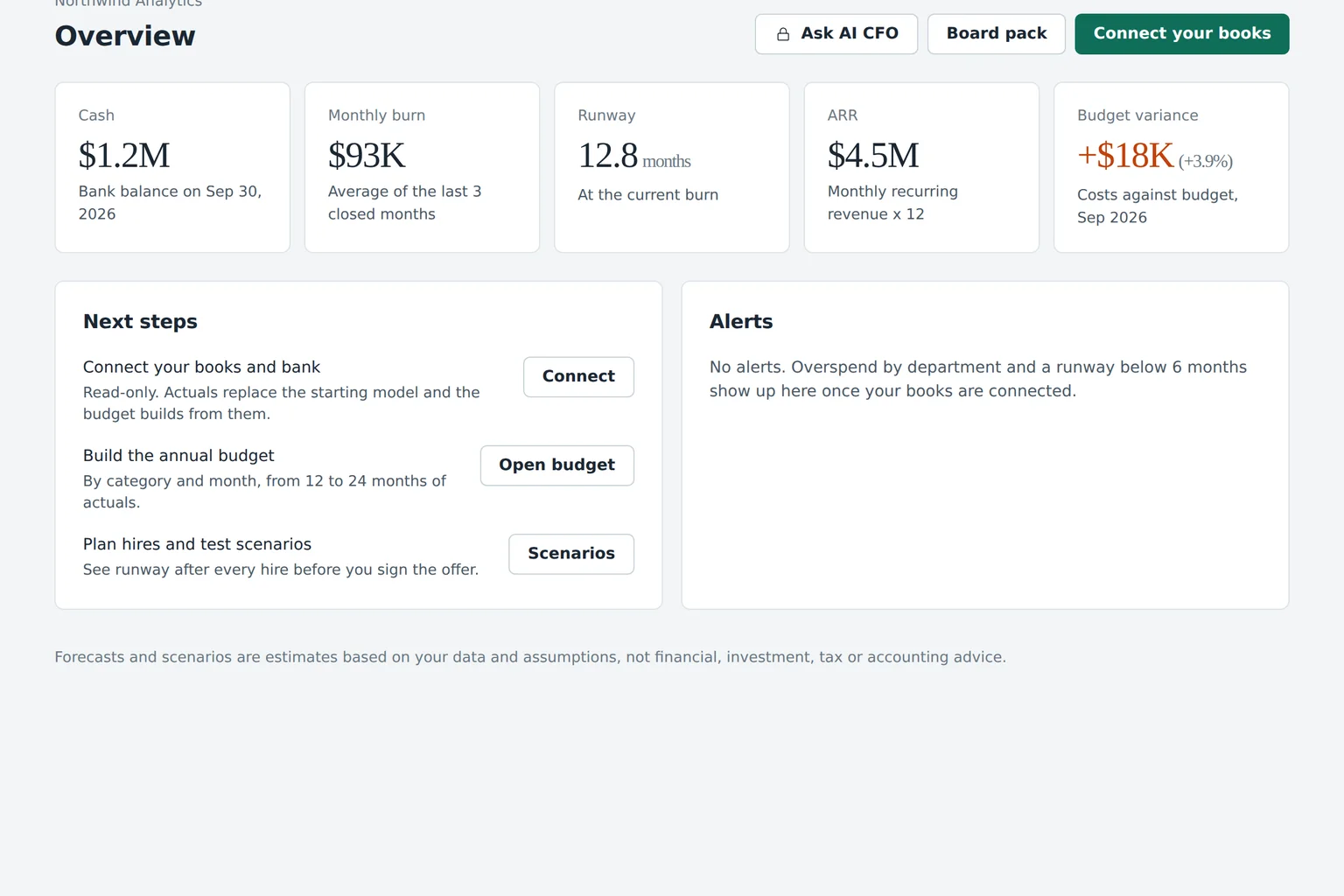
Integrations
Connect your books, bank and revenue data in minutes
Budgeter.ai reads from the tools you already use. Connections are read-only, so nothing in your accounting system, bank or payroll ever changes because of us.
Each connection uses the provider's own sign-in and a read-only permission, and every sync is logged. Keep your Google Sheets model if you like it.
Read the details for QuickBooks cash flow forecasting and Xero cash flow forecasting.
| Source | What we read | Used for |
|---|---|---|
| QuickBooks Online | Chart of accounts, monthly actuals, invoices and bills | Budget, variance, cash timing |
| Xero | Chart of accounts, monthly actuals, invoices and bills | Budget, variance, cash timing |
| Bank feed | Balances and transactions | Cash position and 13-week forecast |
| Stripe | Subscriptions, MRR, new, expansion and churn | Revenue planning, ARR |
| Payroll | Team cost by person and department | Headcount plan, loaded cost |
| CRM | Open pipeline, stages and close dates | Revenue forecast |
| Google Sheets | Assumptions and drivers you keep in a sheet | Import and export |
Security
Your financial data stays yours
You're trusting us with the most sensitive numbers in the company. Here is exactly what we do with them, and what we never do.
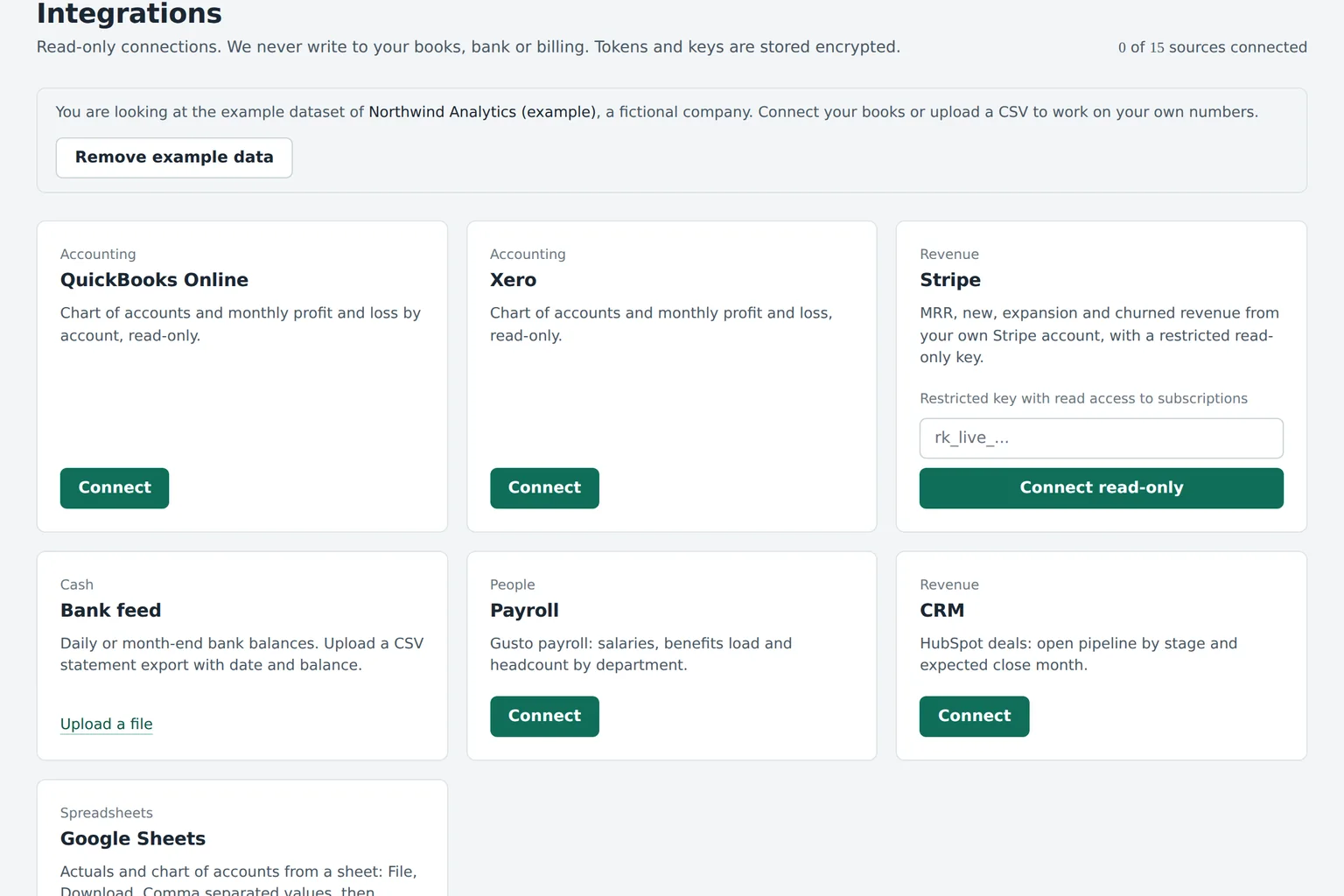
Read-only connections
We read your accounting, bank, payroll and revenue data. We never move money, post journal entries or change anything in the source system.
Encryption at rest and in transit
Financial data and integration tokens are encrypted at rest with AES-256. Every connection uses TLS 1.2 or newer.
Roles and permissions
Owners, editors, viewers and department owners see only what their role allows. Department heads can get read-only access to their own budget.
Audit log
Every change to a budget, forecast, scenario or permission is recorded with who made it and when, on Scale and Enterprise.
Not used to train public models
Your data is used to answer your questions, and that is it. It is never used to train public AI models.
Export or delete any time
Download your budgets, forecasts and reports whenever you want. Close the account and your data is deleted.
Enterprise adds SSO with SAML, SCIM user provisioning, custom roles, data retention controls, a DPA and a 99.9 percent uptime SLA. Every AI answer shows the numbers and assumptions it used, so nothing is a black box.
Read the security overviewCompare
Budgeter.ai versus spreadsheets, FP&A suites and a fractional CFO
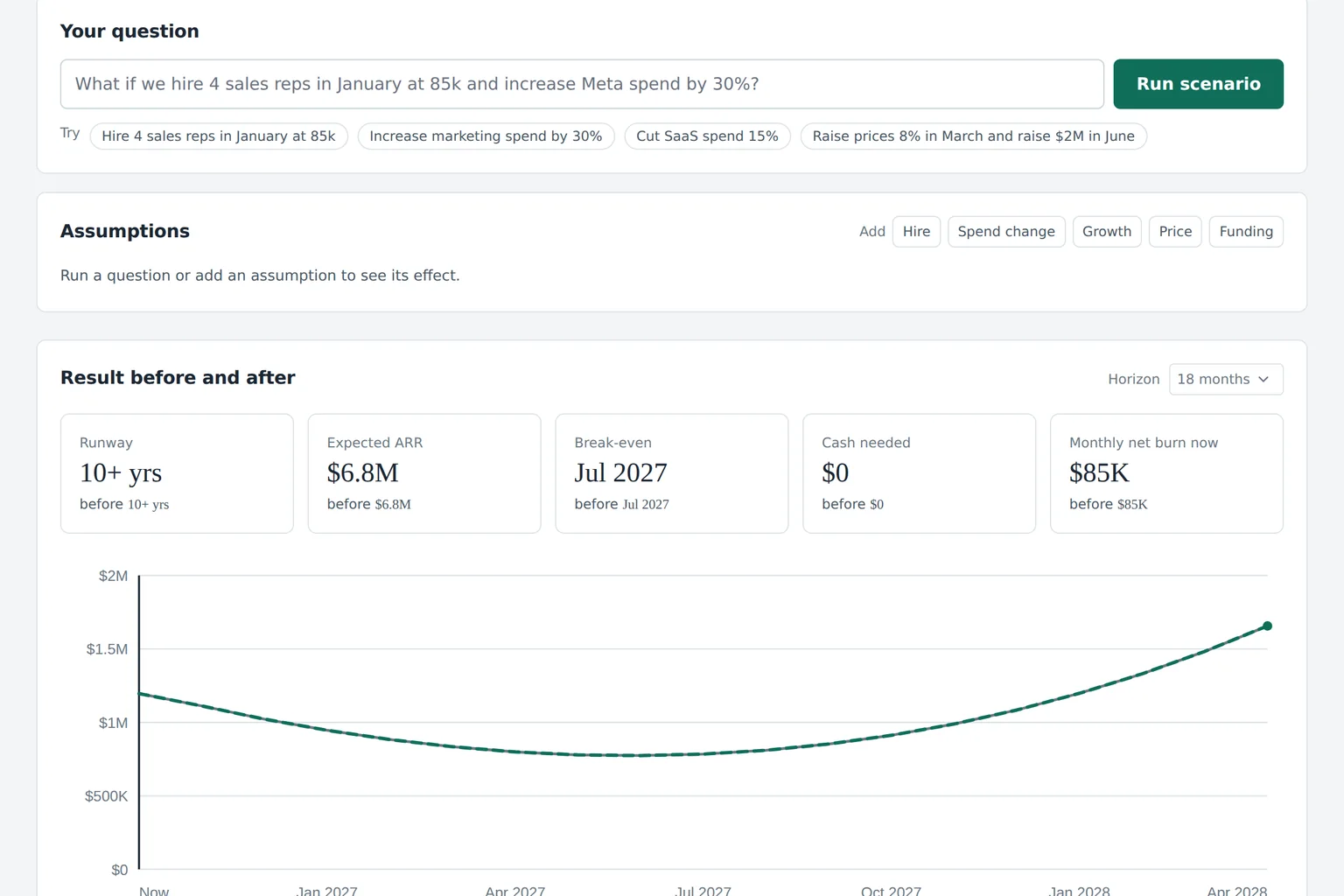
Price, time to the first budget, who does the work and what you commit to, next to spreadsheets, demo-gated FP&A suites and a fractional CFO.
| Budgeter.ai | Spreadsheets | Demo-gated FP&A suites | Fractional CFO | |
|---|---|---|---|---|
| Price | Public, from $74 per month billed yearly | Software is cheap, the hours are not | Usually hidden until a sales call | 3,000 to 10,000 USD per month |
| Time to first budget | Same day, after you connect your books | Days to weeks, every year | Implementation project first | Weeks, depends on their calendar |
| Actuals | Synced read-only from books and bank | Pasted by hand | Synced | Pulled by the advisor |
| What if questions | Plain English, answered in runway, burn, ARR and cash | Rebuild the model | Modeling tools for analysts | Email the advisor and wait |
| Budget vs actual alerts | At 80 and 100 percent, per department and vendor | None | Varies by vendor | At the monthly meeting |
| Who does the work | Software does the modeling, your team decides | Your team, all of it | Your analyst, using the tool | The advisor, part time |
| Commitment | Monthly or yearly, cancel anytime | None | Annual contract is common | Retainer |
Price Budgeter.ai Public, from $74 per month billed yearly
- Spreadsheets
- Software is cheap, the hours are not
- Demo-gated FP&A suites
- Usually hidden until a sales call
- Fractional CFO
- 3,000 to 10,000 USD per month
Time to first budget Budgeter.ai Same day, after you connect your books
- Spreadsheets
- Days to weeks, every year
- Demo-gated FP&A suites
- Implementation project first
- Fractional CFO
- Weeks, depends on their calendar
Actuals Budgeter.ai Synced read-only from books and bank
- Spreadsheets
- Pasted by hand
- Demo-gated FP&A suites
- Synced
- Fractional CFO
- Pulled by the advisor
What if questions Budgeter.ai Plain English, answered in runway, burn, ARR and cash
- Spreadsheets
- Rebuild the model
- Demo-gated FP&A suites
- Modeling tools for analysts
- Fractional CFO
- Email the advisor and wait
Budget vs actual alerts Budgeter.ai At 80 and 100 percent, per department and vendor
- Spreadsheets
- None
- Demo-gated FP&A suites
- Varies by vendor
- Fractional CFO
- At the monthly meeting
Who does the work Budgeter.ai Software does the modeling, your team decides
- Spreadsheets
- Your team, all of it
- Demo-gated FP&A suites
- Your analyst, using the tool
- Fractional CFO
- The advisor, part time
Commitment Budgeter.ai Monthly or yearly, cancel anytime
- Spreadsheets
- None
- Demo-gated FP&A suites
- Annual contract is common
- Fractional CFO
- Retainer
Shopping for FP&A software? The honest answer: if you have a team of five planning analysts and a year to implement, a large suite gives them more modeling knobs. If you want a budget, a cash forecast and answers this month without hiring anyone, that is what Budgeter.ai is built for.
Public prices, self-serve checkout
Every plan includes the AI-built budget, cash flow forecast, budget vs actual and the AI CFO. Pay yearly and save 50 percent. No sales call, no setup fee, cancel anytime.
Small Business
For owner-led companies that want a real budget, cash runway and monthly variance review.
$74 per month
$149 per month
$888 billed yearly, instead of $1,788
Billed monthly, or $74 per month yearly
- 2 integrations: QuickBooks Online or Xero plus one of Stripe, bank feed or Google Sheets
- AI CFO chat, 100 questions per month (15 per day)
- 5 saved scenarios per month
- Annual budget built from 12 to 24 months of actuals, by category and month
- 13-week and 12-month cash flow forecast, updated on each sync
- Budget vs actual with monthly overspend alerts by email
Growth
RecommendedFor finance teams running monthly closes, department budgets and headcount plans.
$299 per month
$599 per month
$3,588 billed yearly, instead of $7,188
Billed monthly, or $299 per month yearly
- Everything in Small Business
- 6 integrations, adds payroll, CRM, bank, Stripe and Google Sheets
- AI CFO chat, 600 questions per month (60 per day), cut and hiring recommendations
- 25 saved scenarios per month with side-by-side comparison
- Headcount planning with roles, start dates, salaries, benefits load and ramp
- Revenue planning from CRM pipeline and Stripe MRR (new, expansion, churn)
Scale
For multi-entity companies that consolidate, plan by department and report to a board.
$999 per month
$1,999 per month
$11,988 billed yearly, instead of $23,988
Billed monthly, or $999 per month yearly
- Everything in Growth
- 15 integrations
- AI CFO chat, 2,500 questions per month (200 per day)
- Unlimited scenarios and driver-based models
- Multi-entity consolidation, up to 5 entities, multi-currency
- Department budgets with owners and approval workflow
Enterprise
For groups with many entities, large finance teams and heavy AI CFO use.
$2,499 per month
$4,999 per month
$29,988 billed yearly, instead of $59,988
Billed monthly, or $2,499 per month yearly
- Everything in Scale
- Unlimited integrations and up to 25 entities
- SSO (SAML), SCIM user provisioning, custom roles
- AI CFO chat, 8,000 questions per month (600 per day), priority processing
- Unlimited editors and scenarios
- 99.9 percent uptime SLA
Usage limits count per billing period, and upgrades charge only the difference right away. Full plan comparison on the pricing page.
FAQ
Questions before you connect your books
Straight answers to what finance leads and founders ask before they connect their books.
Anything else? Write to [email protected].
Go deeper, one page per module
- Cash flow forecasting
- Budget vs actual
- Scenario planning
- Headcount planning
- AI CFO
- FP&A software for startups
- Runway calculator
- Pricing
From the blog
What is business budgeting software?
Business budgeting software builds and tracks a company's plan for revenue, costs and cash, month by month. Good tools pull actuals from your accounting system, compare them with the budget, forecast cash and runway, and let you test what if scenarios, so the plan stays current instead of being rebuilt every month in a spreadsheet.
What is the difference between a budget and a forecast?
A budget is the plan you commit to at the start of the year, usually approved by the board. A forecast is your best current estimate of how the year will actually end, updated as actuals come in. You keep the budget fixed to measure against and roll the forecast forward every month.
How is runway calculated?
Runway is the number of months until cash runs out at the forecast burn rate. Simple runway divides cash in bank by average monthly net burn. Budgeter.ai calculates it month by month instead, including revenue growth, planned hires, annual payments and collection timing, which is more accurate when burn changes over time.
What is an AI CFO?
An AI CFO is software that does part of a finance lead's analytical work: it explains budget variances, answers what if questions and drafts scenarios from your own numbers. In Budgeter.ai it shows the assumptions and accounts behind every answer. It supports your decisions and your advisors, it does not replace professional financial advice.
Is my financial data safe, and can Budgeter.ai change anything in QuickBooks or Xero?
No, it can't change anything. Every connection is read-only: we read your chart of accounts, actuals, invoices, bills, balances and payroll totals, and we never post entries, move money or edit records in the source system. Your data and the integration tokens are encrypted at rest with AES-256 and in transit with TLS 1.2 or newer. Access inside your workspace follows roles, so a department head can see their own budget without seeing payroll by person. Your data is never used to train public AI models, and you can export everything or delete it whenever you like. If you disconnect a source, syncing stops right away.
How accurate is an AI forecast?
The forecast itself isn't generated by a language model. It comes from a driver-based engine that works from your actuals: growth trends, seasonality, payroll, contract timing and the assumptions you set. The AI layer does two jobs on top of that: it explains the numbers in plain English and it turns your what if questions into assumptions you can see and edit. Every answer lists the accounts, months and drivers it used, so you can check it against the source. Like any forecast, it is an estimate based on your data and assumptions, not financial, investment, tax or accounting advice, and it gets better as more months of actuals come in.
Do I need a finance team or an implementation project?
No. Budgeter.ai is built for companies that don't have a planning analyst, or have one who is already overloaded. You create an account, connect QuickBooks Online or Xero, and the first budget draft is built from your actuals the same day. Adding a bank feed, payroll, CRM or your Stripe account fills in cash, headcount and revenue detail. There is no onboarding call to book and no consultant to hire. If something in your chart of accounts maps oddly, you fix it with one click and the budget, forecast and variance all update together.
We already use spreadsheets. Why switch?
You don't have to throw the spreadsheet away. Import your assumptions and drivers from Google Sheets, and export budgets, forecasts and variance back to a sheet whenever someone wants to play with the numbers. What changes is that you stop rebuilding the file every month: actuals arrive on their own, the forecast rolls forward after each close, and nobody has to ask which version is the real one. Spreadsheets are great for one-off analysis. They are a poor system of record for a budget that five people edit and a board relies on.
How is Budgeter.ai different from Datarails, Cube or Abacum?
Those are capable FP&A platforms aimed at companies with a finance team, and each of them asks you to book a sales demo before you see a price. Budgeter.ai is self-serve: the prices are on this page, you can run a runway forecast in the hero before you even sign up, and the AI CFO answers questions in plain English instead of requiring an analyst to build the model first. If you need deep custom modeling for a large FP&A team, a big suite may fit. If you want a working budget, cash forecast and budget vs actual this month, without a sales cycle, that is our focus.
Does it replace our accountant or our CFO?
No, and it isn't meant to. Your accountant still keeps the books, closes the month and handles tax. Your CFO, fractional CFO or board advisors still make the judgment calls. Budgeter.ai takes over the modeling work in between: building the budget from actuals, keeping the forecast current, explaining variances and answering what if questions in numbers. Fractional CFOs can use it too: the Scale plan includes workspaces for up to 5 client companies, which leaves more of their paid time for advice instead of spreadsheet maintenance.
What happens when we hit the AI question limit, and can we upgrade or cancel?
Each plan includes a monthly number of AI CFO questions and saved scenarios, shown on a usage meter inside the app. At 80 percent you get a heads-up, and at 100 percent new questions pause until the next billing period or until you upgrade. Usage counts per billing period, so deleting a chat doesn't return questions. You can move to a higher plan any time, and the difference is charged immediately so the new limits apply right away. Cancel in the billing portal whenever you want; your plan stays active until the end of the period you paid for.
Does Budgeter.ai work for multiple entities and currencies?
Yes, on the Scale and Enterprise plans. Scale consolidates up to 5 legal entities with different currencies into one budget and forecast, with department budgets, owners and approval workflows. Enterprise goes up to 25 entities and adds SSO, SCIM provisioning and custom roles. Small Business and Growth cover one entity, which suits most companies until they open a second subsidiary. Each entity keeps its own chart of accounts and currency, and the consolidated view converts to your base currency for the board pack.
See your runway before you see a sales rep
Revenue, costs, cash and a hiring plan in, runway, break-even and cash needed out, with no account. The real forecast from your books starts with a plan.
Read-only connections Yearly plans save 50 percent Cancel anytime
Your runway in seconds. Revenue, costs and a hiring plan in, runway and break-even out.
Forecast my runway See pricing